Build panel (platform admin)
The commit graph behind the container that's actually running—"what shipped, and how." It requires the platform-admin role, and unlike every other admin page in this guide it doesn't live under Admin in the sidebar at all: it opens from the build's own sha, in the footer of every page.
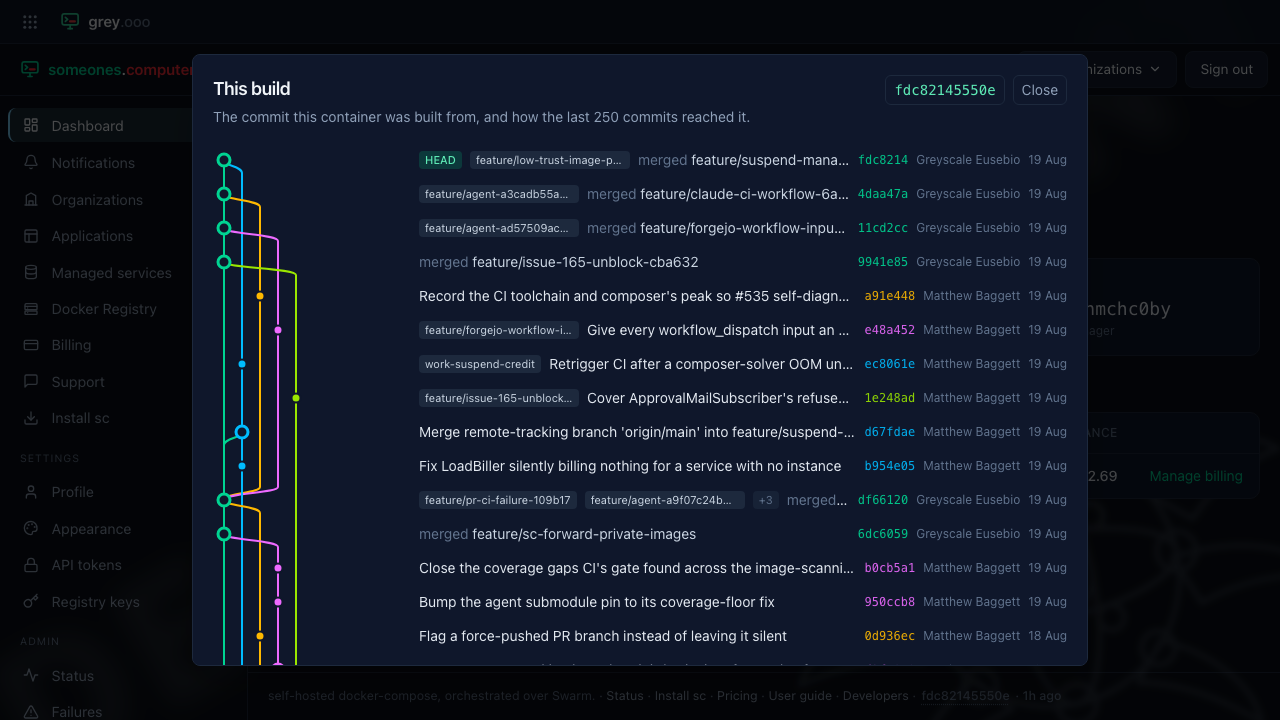
Click the sha (bottom-right of any page, next to "· 1h ago") to open it. Each
row is a commit reached by the last 250, newest first, with the branches and
merges that got it there drawn as a graph on the left—the same shape as
git log --graph, read top to bottom instead of scrolling a terminal.
HEAD marks the running commit.
This is a debugging tool, not an audit log: it answers "is my fix actually deployed yet" without reaching for a terminal, and it stores nothing here—it reads the git history baked into the running image, the moment the dialog opens.