Hypervisors (platform admin)
Proxmox endpoints the platform can build machines on—a layer under Docker Contexts: a context is where containers get scheduled, this is where the nodes that join one get built. It lives under Admin → Hypervisors and requires the platform-admin role.
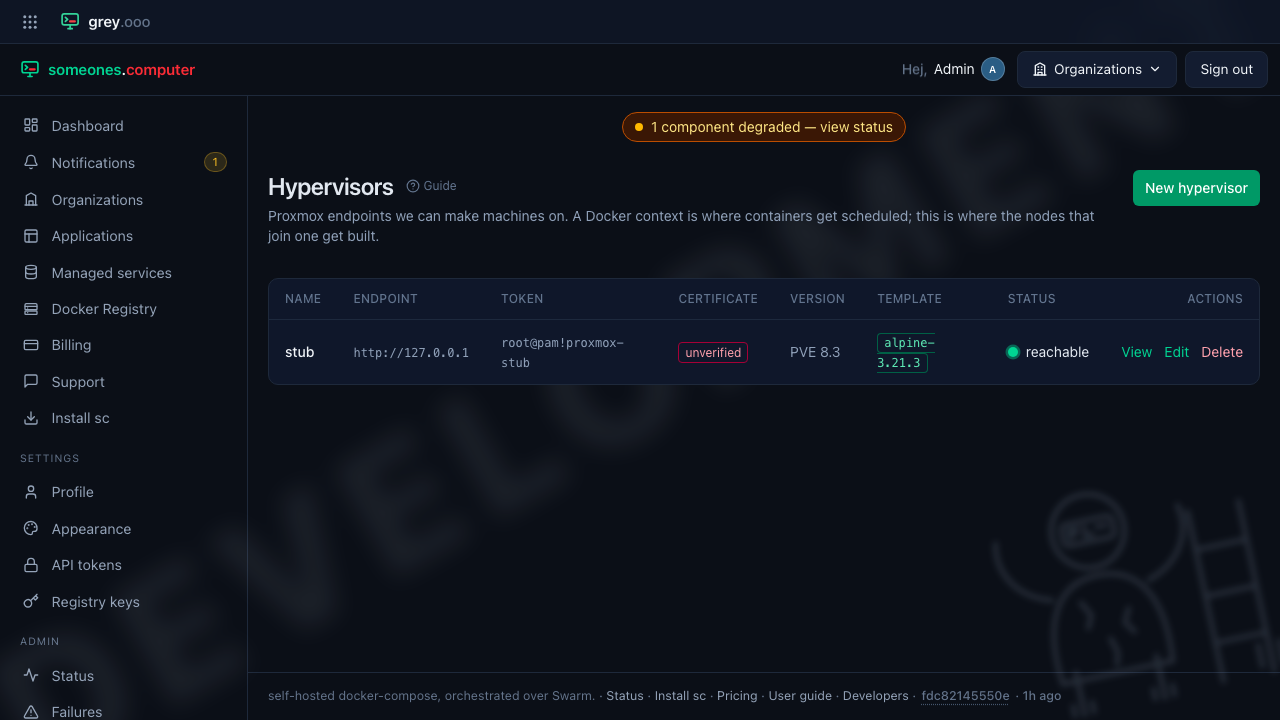
| Column | Means |
|---|---|
| Endpoint / Token | The API address and the token ID used to authenticate—the secret itself is write-only. |
| Certificate | pinned (one exact public key, no CA involved), CA verified, or unverified. |
| Version | The Proxmox VE release the endpoint reports, once it has answered. |
| Template | Whether an Alpine template exists here yet—the Machines wizard clones from it. |
| Status | Reachable, unreachable, or the endpoint rejected the token—probed live, not read off a stale column. |
Opening one shows the full picture, probed fresh on every visit. A GET never writes anything, so Check now exists to re-probe on demand without waiting for the next page load:
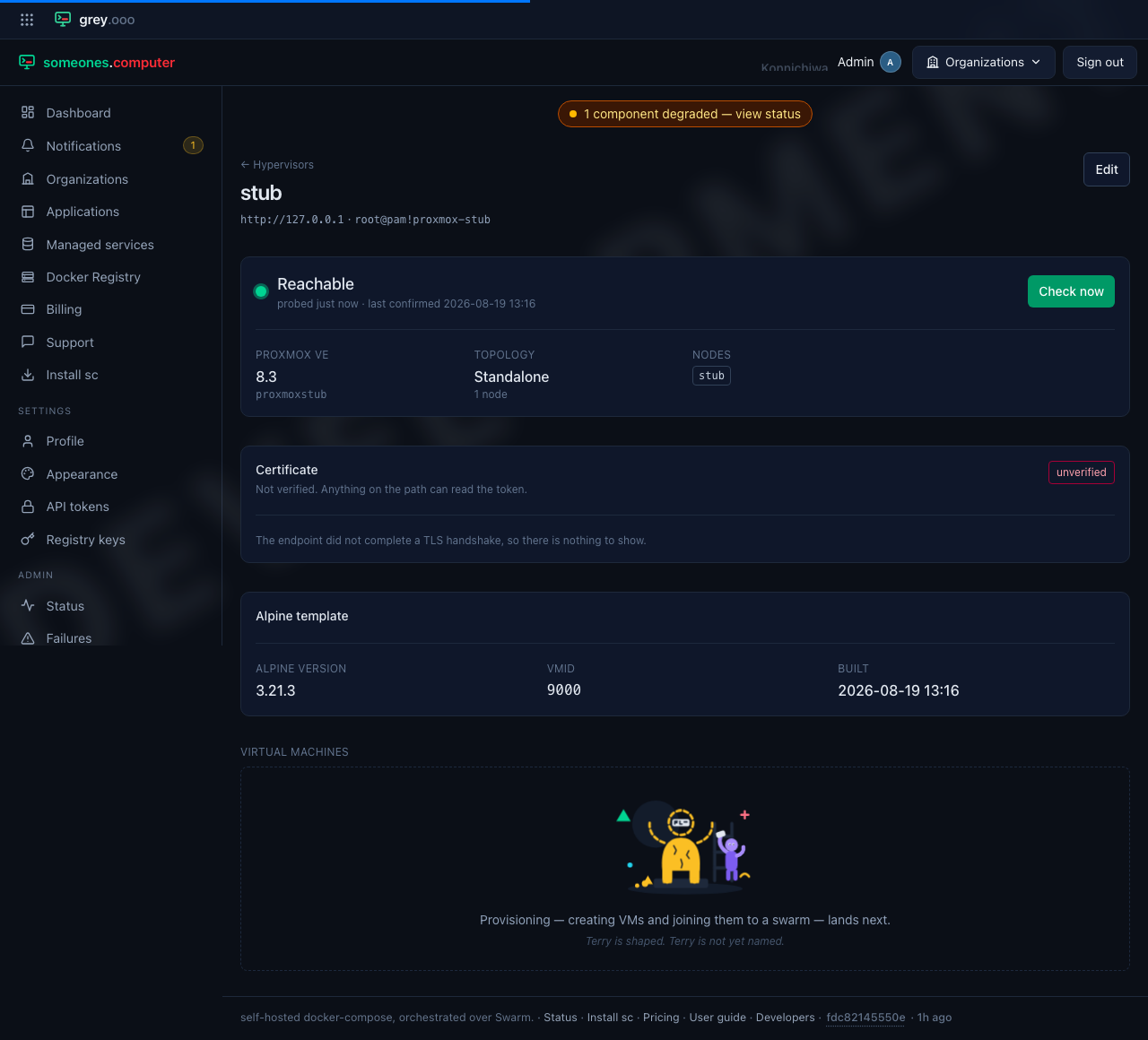
The certificate section is worth reading before pointing this at anything real. Three trust modes, same choice Docker Contexts offers for a context's own endpoint: pin one exact public key, verify it with the public CA roots, or don't verify at all—the last one meaning anything on the path between here and the hypervisor can read the token. Pinning is the one that survives a self-signed certificate without asking you to trust a whole CA for it.
No template yet offers a Build template button once the endpoint is reachable—a one-time build VM that bakes Alpine using the same address pool a machine would, and takes several minutes. It runs from the console too, for a hypervisor this page can't reach directly:
app:proxmox:template <name>
Deleting a hypervisor destroys the stored token and forgets the endpoint—it touches nothing on Proxmox itself, and nothing already provisioned stops.