Mail log (platform admin)
Every message the platform has tried to send—sign-in links, confirmations, notifications, support replies—including the ones with no account behind them. It lives under Admin → Mail log and requires the platform-admin role.
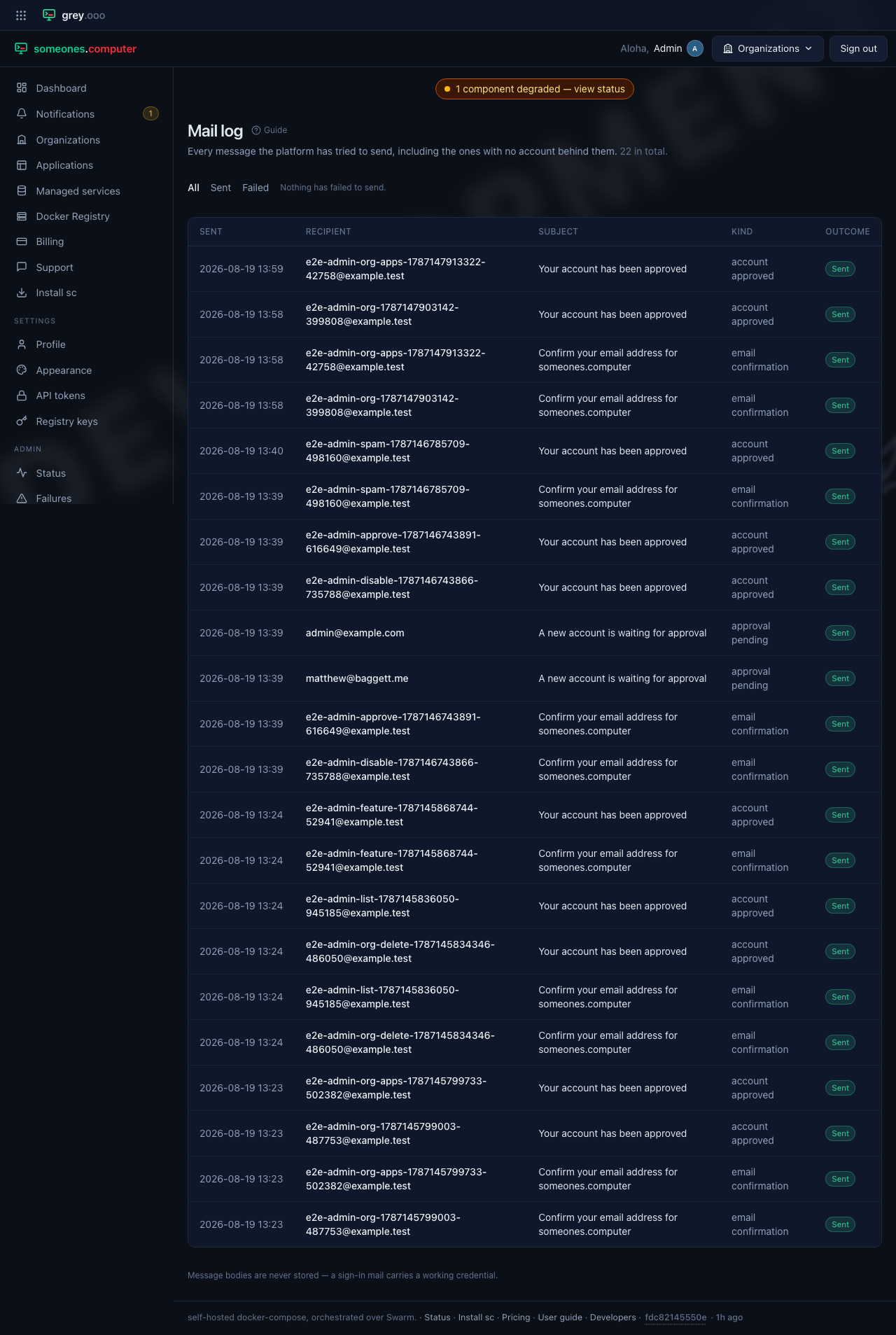
A row with no account isn't a bug in the page. Some mail goes out before there is an account to attach it to—an invite to an address that has never signed up, for one. Somebody debugging a "did the email ever go out?" question still needs to find those rows. They render with the address alone and a small No account label rather than a blank link.
Where there is an account, the recipient links straight to its user page.
| Column | Means |
|---|---|
| Sent | When the platform attempted delivery. |
| Recipient | The address, linked to the account if one exists. |
| Subject | The mail's subject line. |
| Kind | What triggered it—a sign-in link, a confirmation, or a notification. |
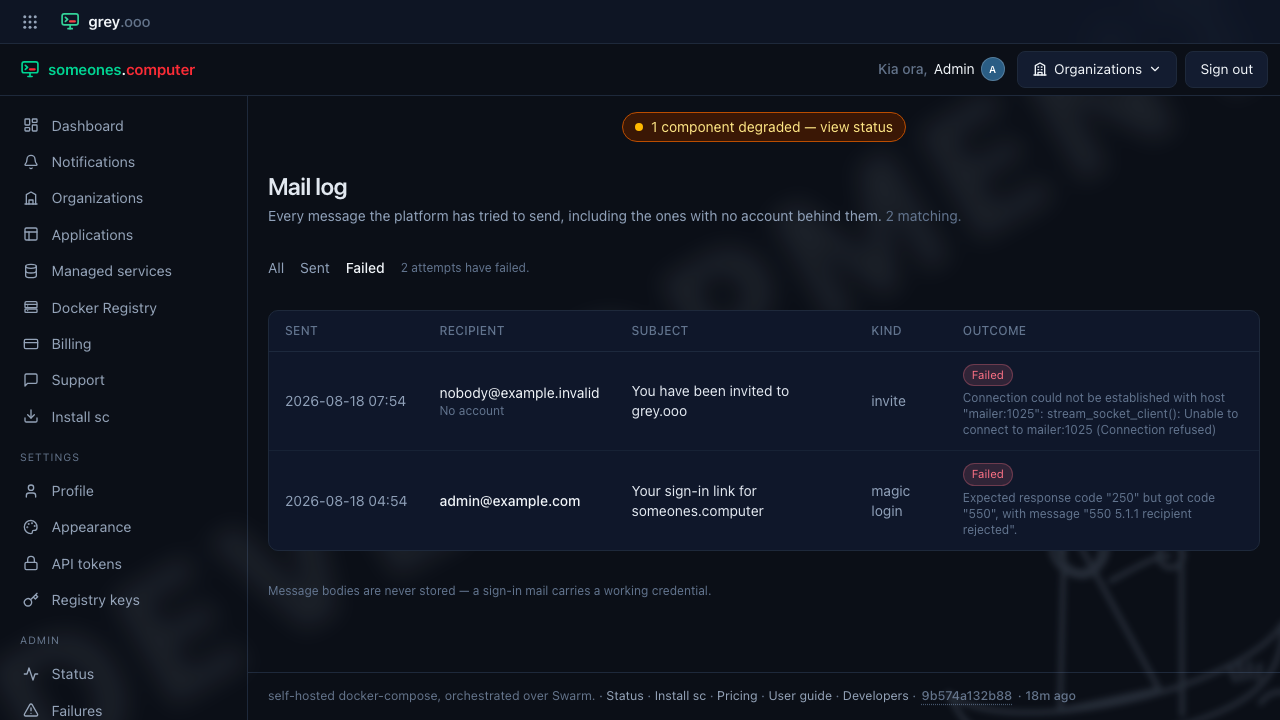
| Outcome | Sent or Failed. A failed row carries the reason underneath, so a "why didn't this arrive?" question doesn't send you to the server logs. |
Filter to Failed for the one question this page actually gets opened for:
Message bodies are never stored—a sign-in mail carries a working credential, so the log keeps only what it needs to answer "was this sent, and did it work."