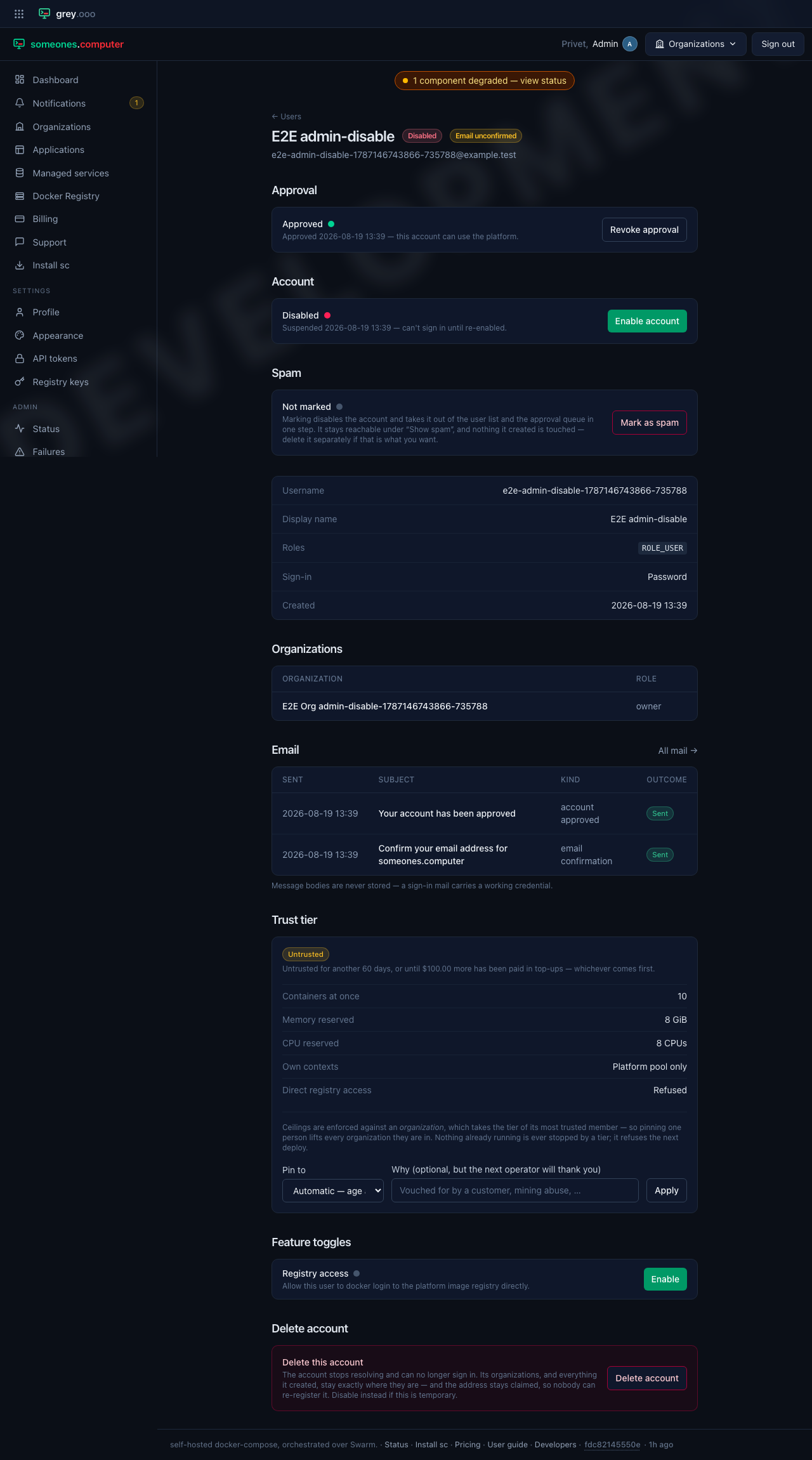
Users (platform admin)
Every account on the platform, cross-tenant, with the controls an operator needs to act on one. It lives under Admin → Users and requires the platform-admin role.
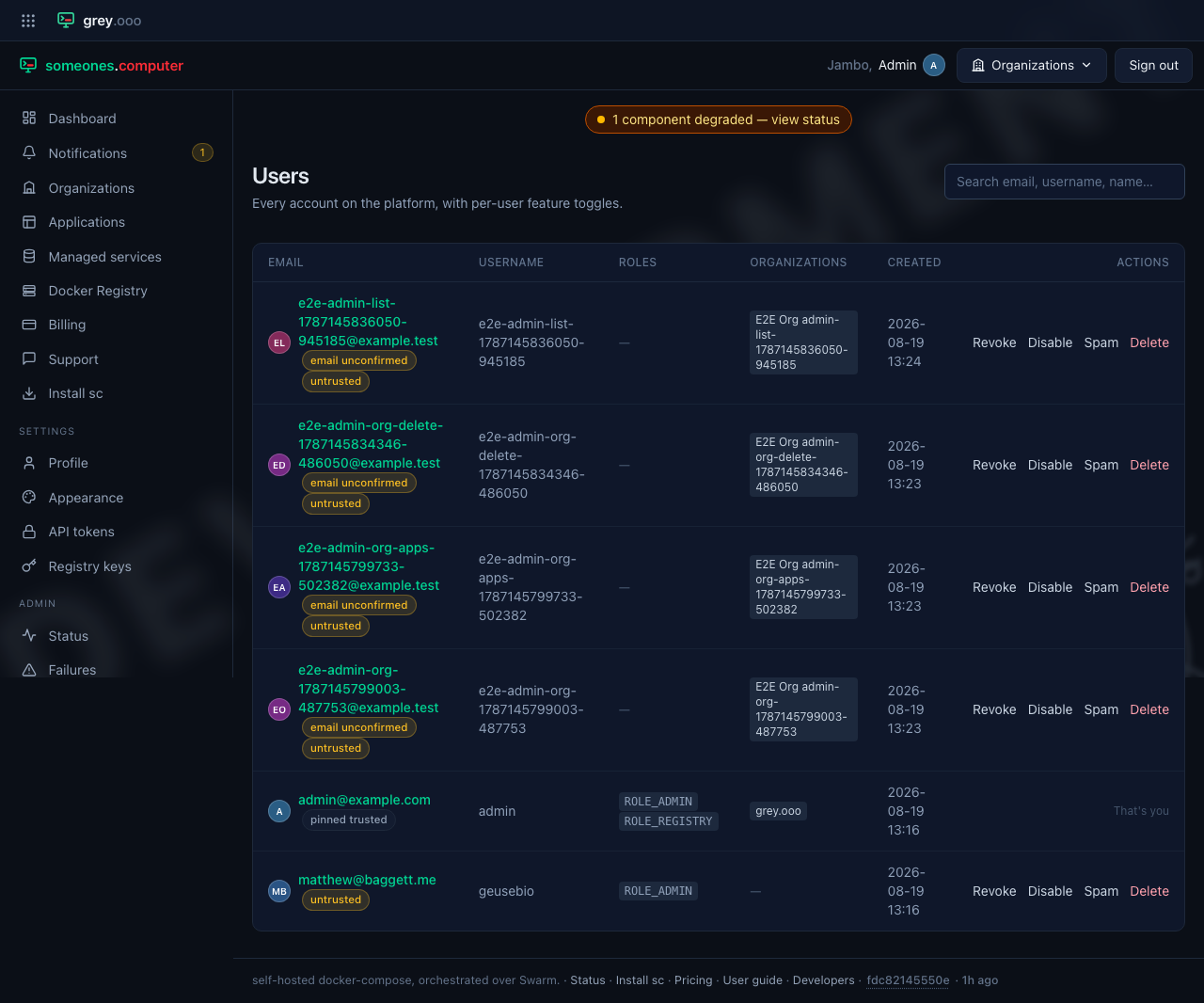
Search matches email, username or display name. Each row carries the account's granted roles, which organizations it belongs to, and badges for anything that needs a second look—awaiting approval, untrusted tier, deactivated, spam. The four row actions (Approve/Revoke, Enable/Disable, Spam, Delete) are the same ones the account's own page offers, reachable without opening it.
Opening an account gives the full picture:
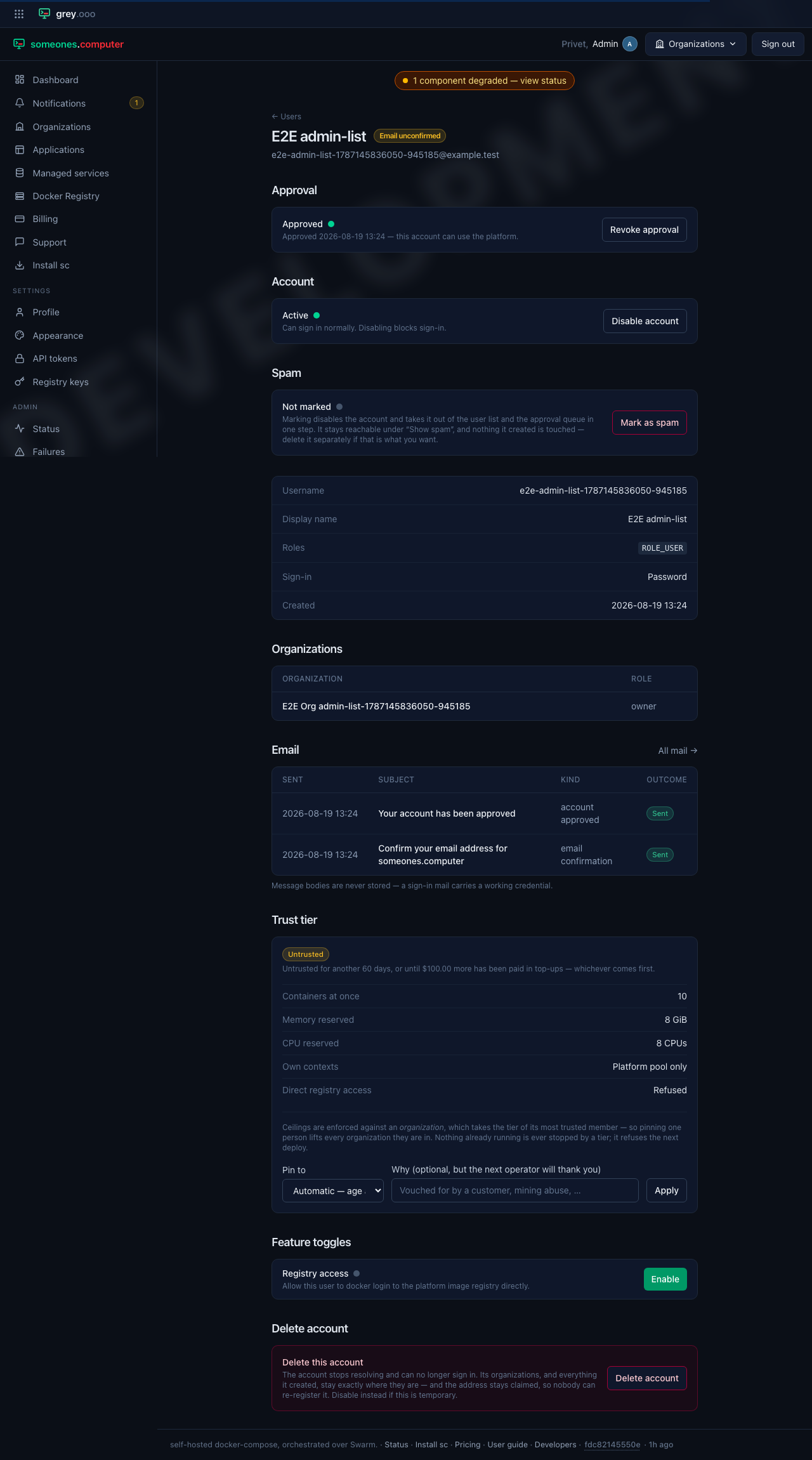
| Section | What it does |
|---|---|
| Approval | Whether this account can use the platform at all—see the approval queue below. |
| Account | Active or disabled. Disabling blocks sign-in without touching anything the account created. |
| Spam | Marking disables the account and takes it out of the user list and the approval queue in one step—see spam below. |
| (facts) | Username, display name, granted roles, how the account signs in (password, OAuth, or LDAP), when it was created. |
| Organizations | Every organization it belongs to and its role in each, cross-linking into the admin org panel. |
| Everything sent to this account—a scoped view of the mail log. | |
| Trust tier | What this account may run, and the way to override it—see pinning a tier below. |
| Feature toggles | Per-account flags an operator grants, such as direct registry access. |
| Delete account | Removes the account entirely. Its organizations and everything it created stay exactly where they're—disable instead if this is temporary. |
An operator can't act on their own account. The row and the page grey out every button for the signed-in account—the one account nobody can lock themselves out of.
The approval queue
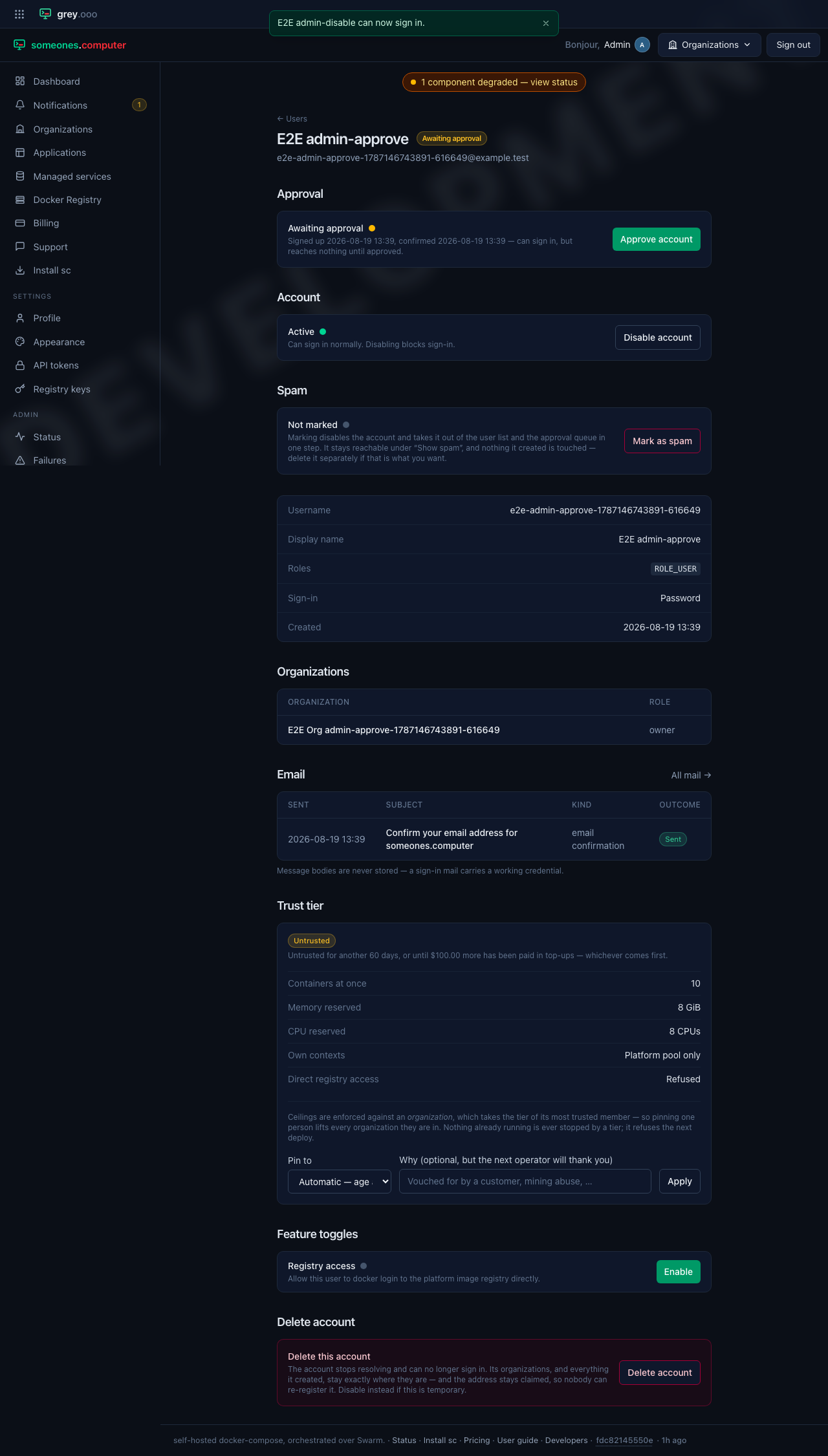
A new sign-up can sign in once it confirms its email, but reaches nothing until an operator approves it. An account still waiting shows up here with a sidebar count that never goes quiet on its own:
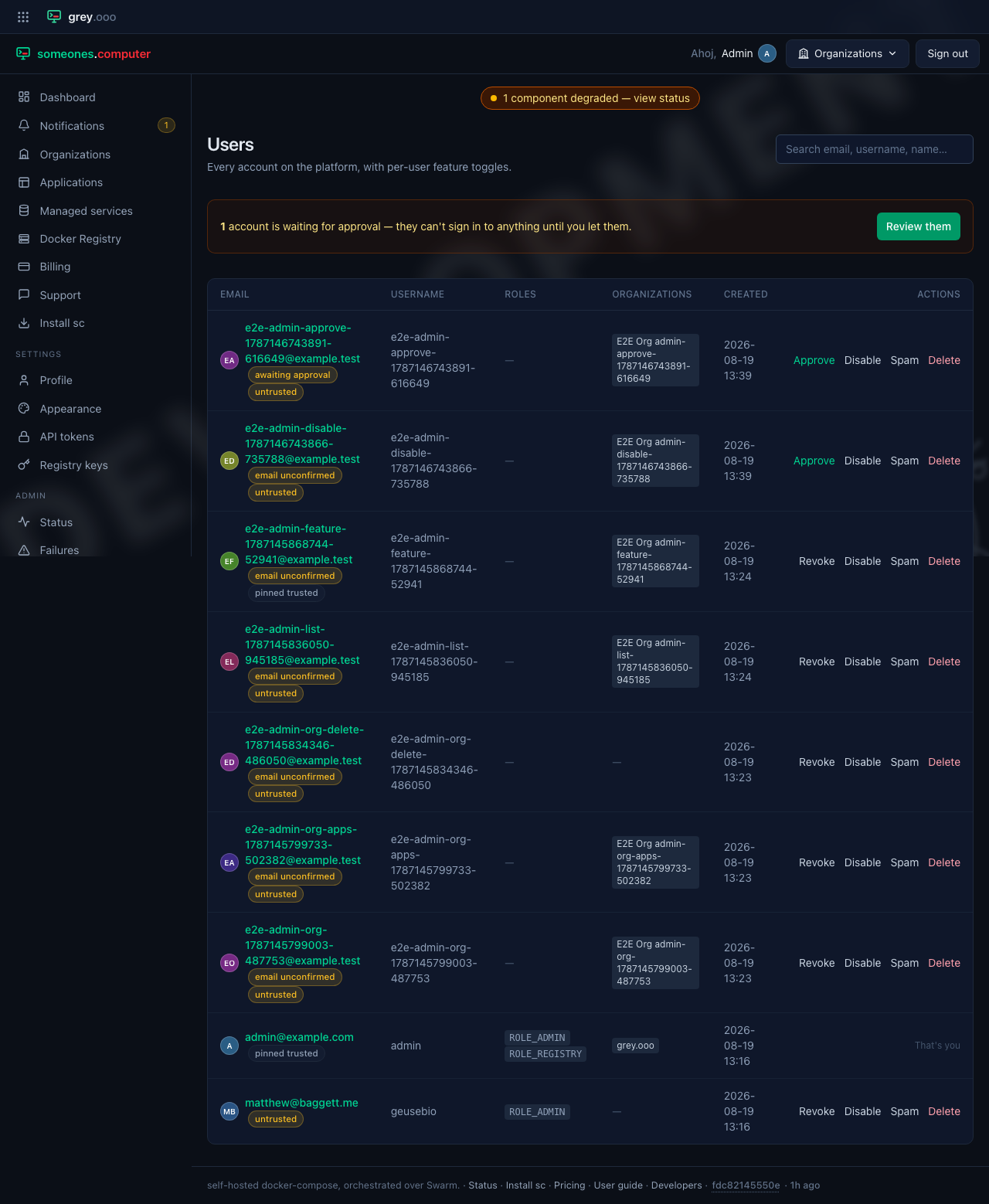
Opening one from the queue offers Approve account—or Approve all, for the whole filtered queue at once when there's a backlog to clear:
Spam
Marking an account as spam is one click that disables it, drops it out of the ordinary list, and takes it out of the approval queue—the triage action for a sign-up flood, so a queue nobody wants to clear by hand one row at a time stays workable.
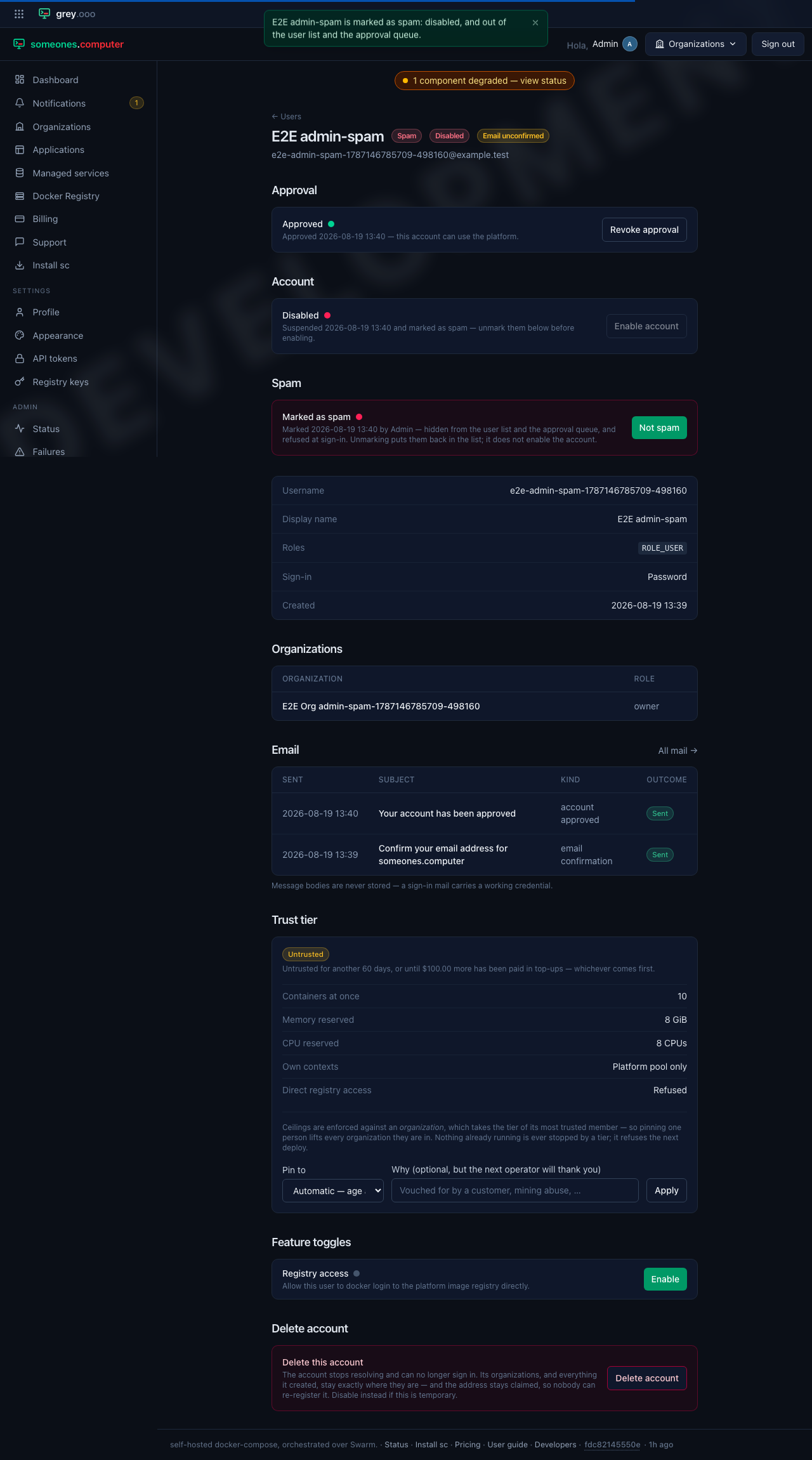
It stays reachable under Show spam—the way back isn't optional, because an operator will eventually mark the wrong row:
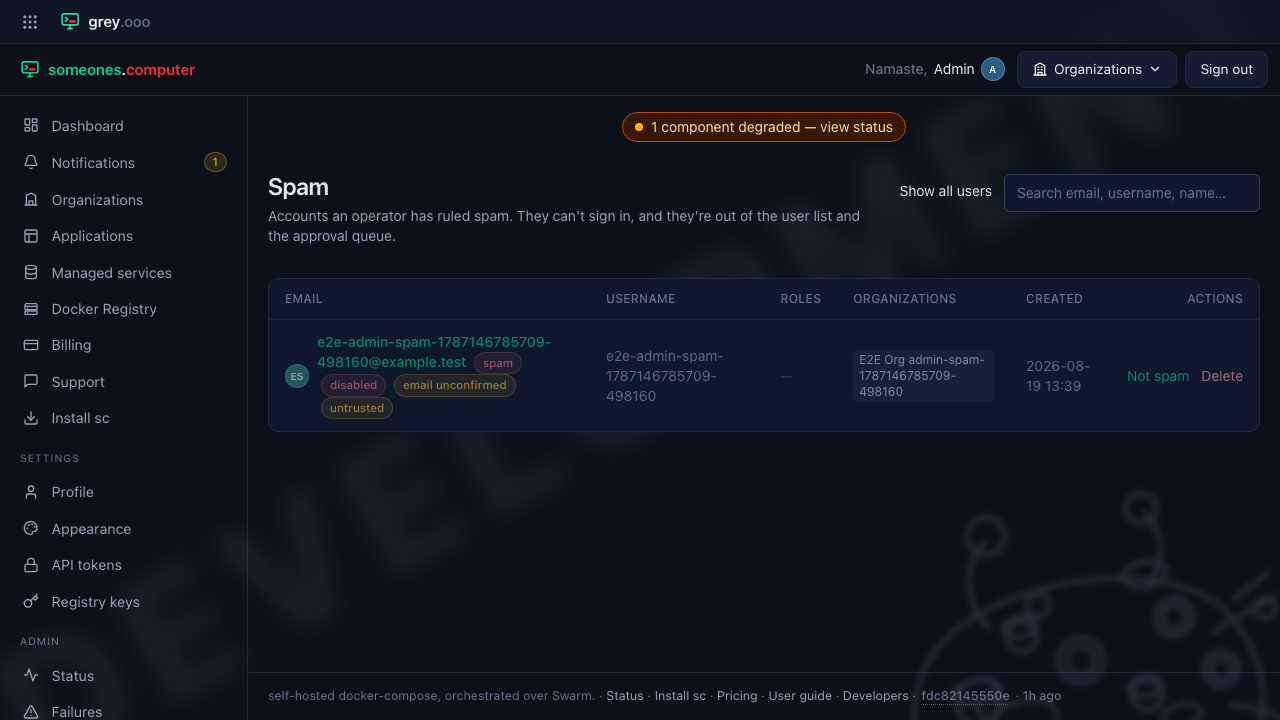
Unmarking puts the account back on the ordinary list. It doesn't re-enable it—those are two separate decisions.
Pinning a trust tier
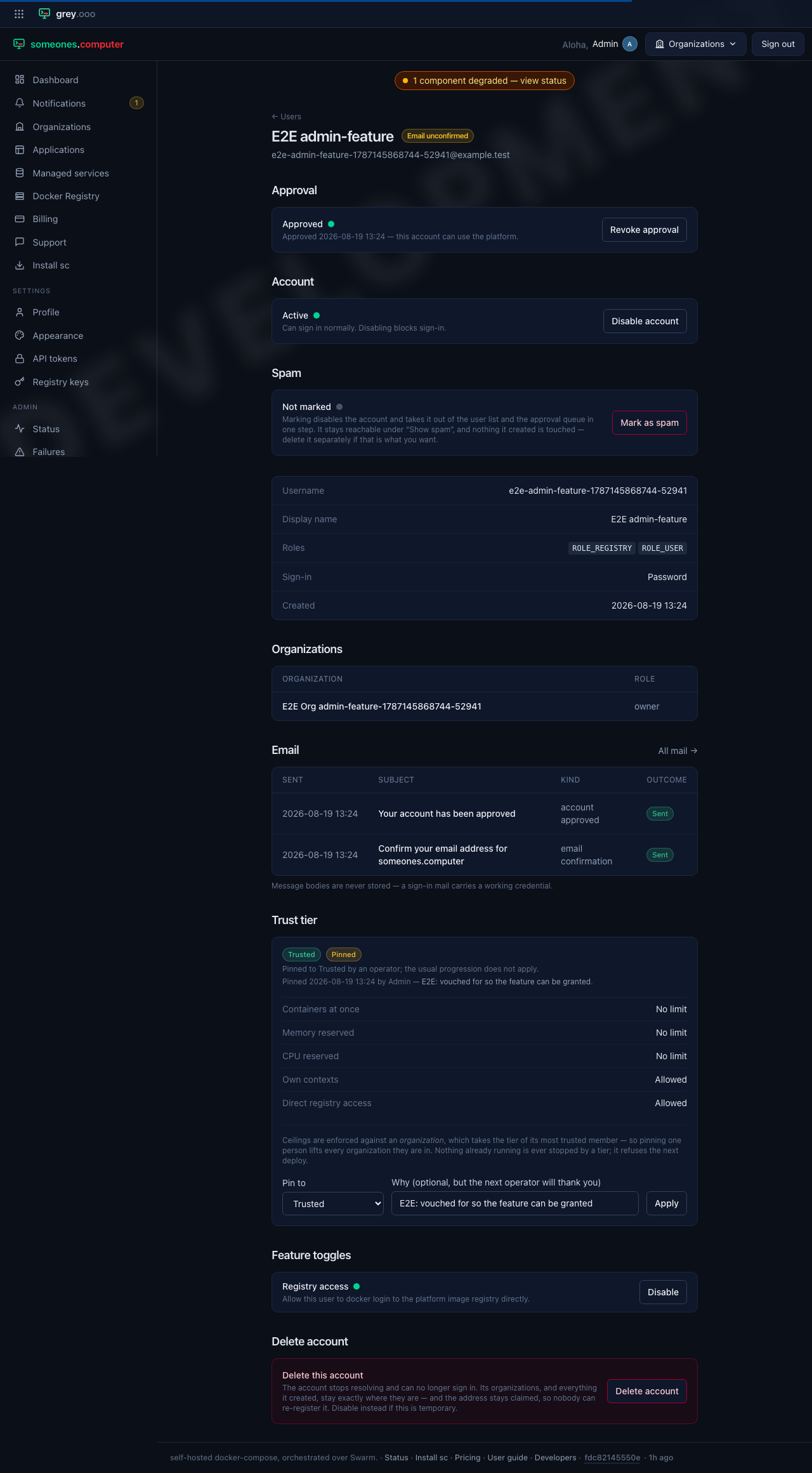
Every account starts on the Untrusted tier and graduates by age or by paying. Pinning overrides that—for a vouched-for customer, or the opposite, for one abusing the platform. The account's page is where the reason is recorded, right where the next operator will look for it. The pin applies to the person: every organization they belong to takes the higher tier, because ceilings are enforced against an organization that takes the tier of its most trusted member.
Feature toggles
A feature toggle is a second gate on top of the tier system, not a replacement for it—enabling one does nothing if the account's tier doesn't already permit it. Registry access is the one that exists today:
Disabling an account
Disabling blocks sign-in without touching anything the account owns: